How to edit a confidential PDF safely
Edit a sensitive PDF on your device and protect the copies you keep before and after the change.
Read the guide
Add a password to your PDF to protect who can open it and encrypt the document with AES-256 directly in your browser.
Use this tool for free as often as you need. The document is processed on your device so its contents remain under your control.
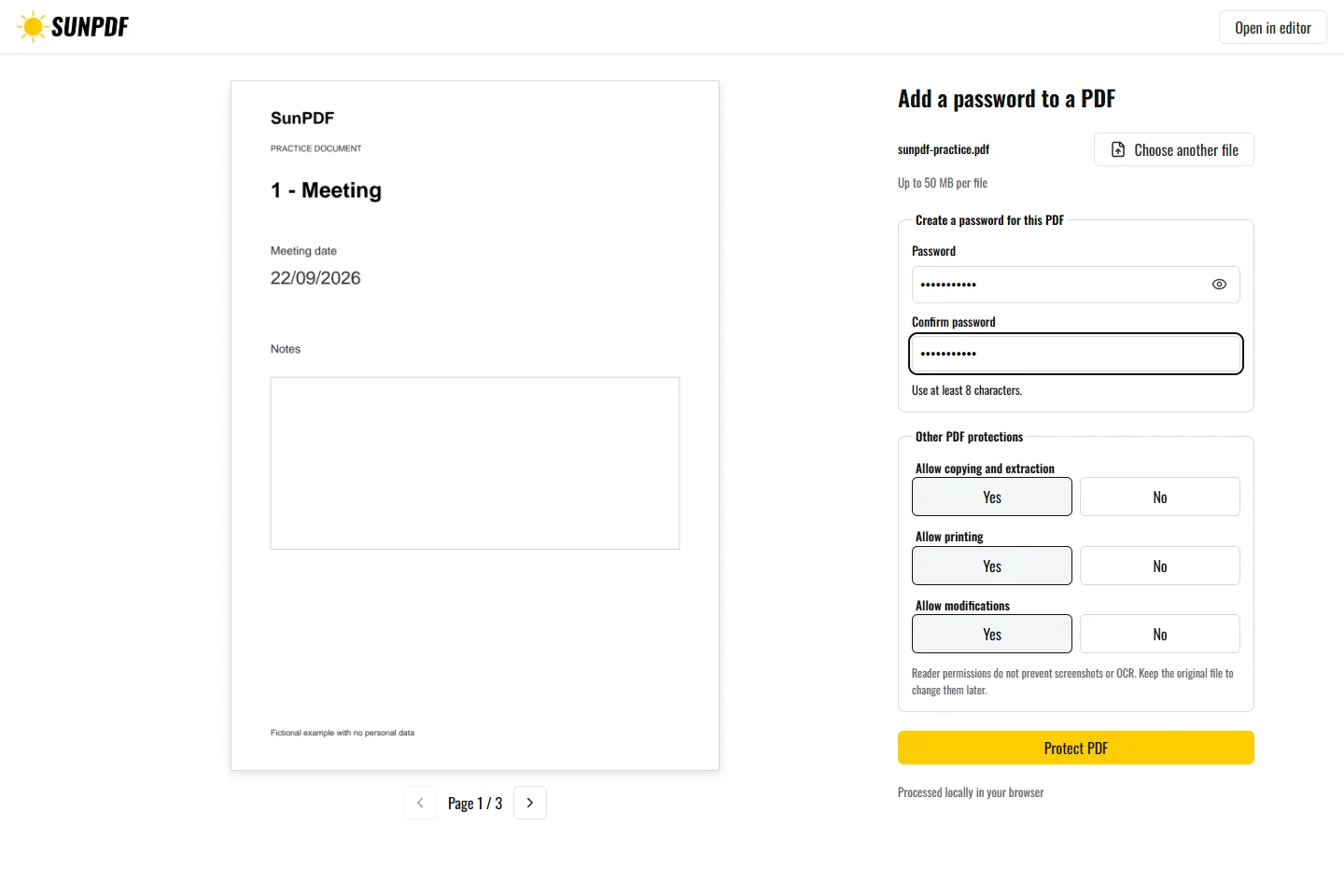
Fictional file created by SunPDF with no personal data.
Add the fictional password Sun-2026, download the copy, then confirm it opens with that password and rejects a wrong one.
Choose the file, enter and confirm a password of at least eight characters, then review its permissions before exporting. The resulting copy uses AES-256 encryption. SunPDF neither stores nor transmits the password required to open it.
Document processing happens in your browser. SunPDF does not upload your PDF to a server for editing. Closing or refreshing the tab ends the current session.
Use this mode when a document must remain unreadable without a secret, such as before email or shared-folder delivery.
Reopen the copy with the correct password, confirm that a wrong password fails, and inspect every page.
Follow the steps and checks to make before saving your document.
Edit a sensitive PDF on your device and protect the copies you keep before and after the change.
Read the guideCorrect, complete and organize a PDF for free, then download a new copy from your browser.
Read the guideDraw or add your signature, place it on the right line and download the signed PDF.
Read the guide