How to fill in a PDF for free
Add answers, ticks and a signature to a PDF, including forms with boxes that cannot be clicked.
Read the guide
Turn your PDF into an interactive form by adding text fields and checkboxes that recipients can complete.
Use this tool for free as often as you need. The document is processed on your device so its contents remain under your control.
Fictional file created by SunPDF with no personal data.
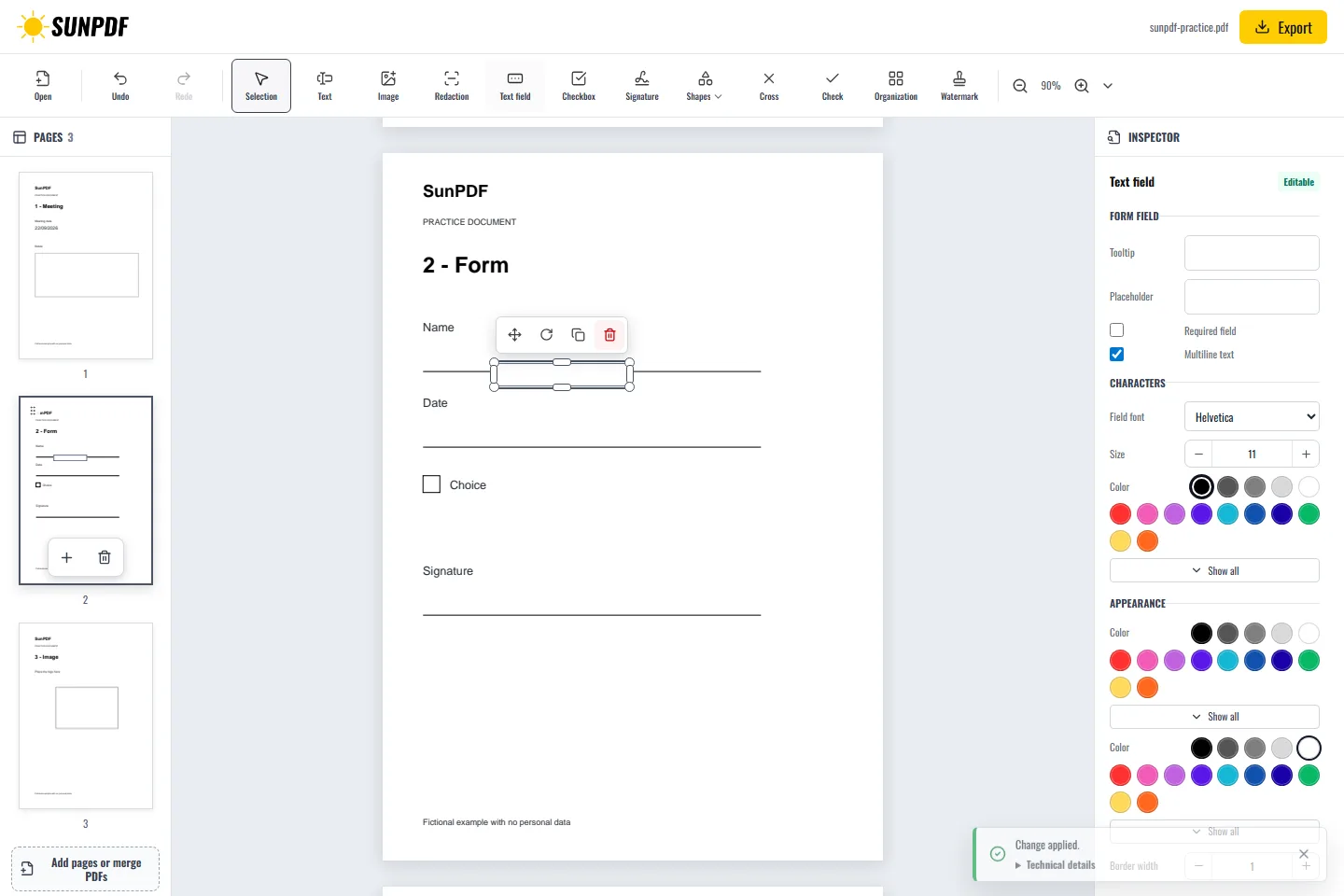
On page 2, add a fillable text field on the Name line and an interactive checkbox beside Choice. Give them unique names, then confirm they remain fillable after export.
Open your PDF, choose a text field or checkbox, and place it where it belongs. You can then move and resize it and set its name, accessible label, required state, and appearance. The exported copy keeps the fields you created, so it can be reopened and completed in SunPDF or a PDF reader that supports AcroForm fields.
Document processing happens in your browser. SunPDF does not upload your PDF to a server for editing. Closing or refreshing the tab ends the current session.
Use this tool to turn a registration sheet, questionnaire, application, or internal document into a reusable form without rebuilding its layout.
Reopen the exported PDF, enter a value in every field, select the checkboxes, and inspect field names, order, required states, and rendering in a second PDF reader.
Follow the steps and checks to make before saving your document.
Add answers, ticks and a signature to a PDF, including forms with boxes that cannot be clicked.
Read the guideCorrect, complete and organize a PDF for free, then download a new copy from your browser.
Read the guideEdit a sensitive PDF on your device and protect the copies you keep before and after the change.
Read the guide