
Join a main document and its appendix
Use the three-page sample and the one-page appendix. The expected result has four pages, with the appendix last. Starting from known page counts makes a missing or duplicated page easier to detect than relying only on the downloaded filename.
Combining files is more than placing them in one container. The usefulness of the result depends on page order, missing or duplicated pages, and a clear transition between the main document and its attachments.
Steps in SunPDF
- On Combine PDFs, select both PDF files together. The first document becomes the starting document and the following files are appended.
- Wait for Organization to show the combined document. Check the first thumbnail. File-picker order may differ from the order you intended.
- Drag thumbnails into the required order. To correct a misplaced appendix, move its page rather than importing it again.
- Choose Open in editor to inspect the last page of the main document and the first page of the appendix. Check that neither was omitted or duplicated.
- Export one PDF, reopen it and confirm all four pages appear in the same order.
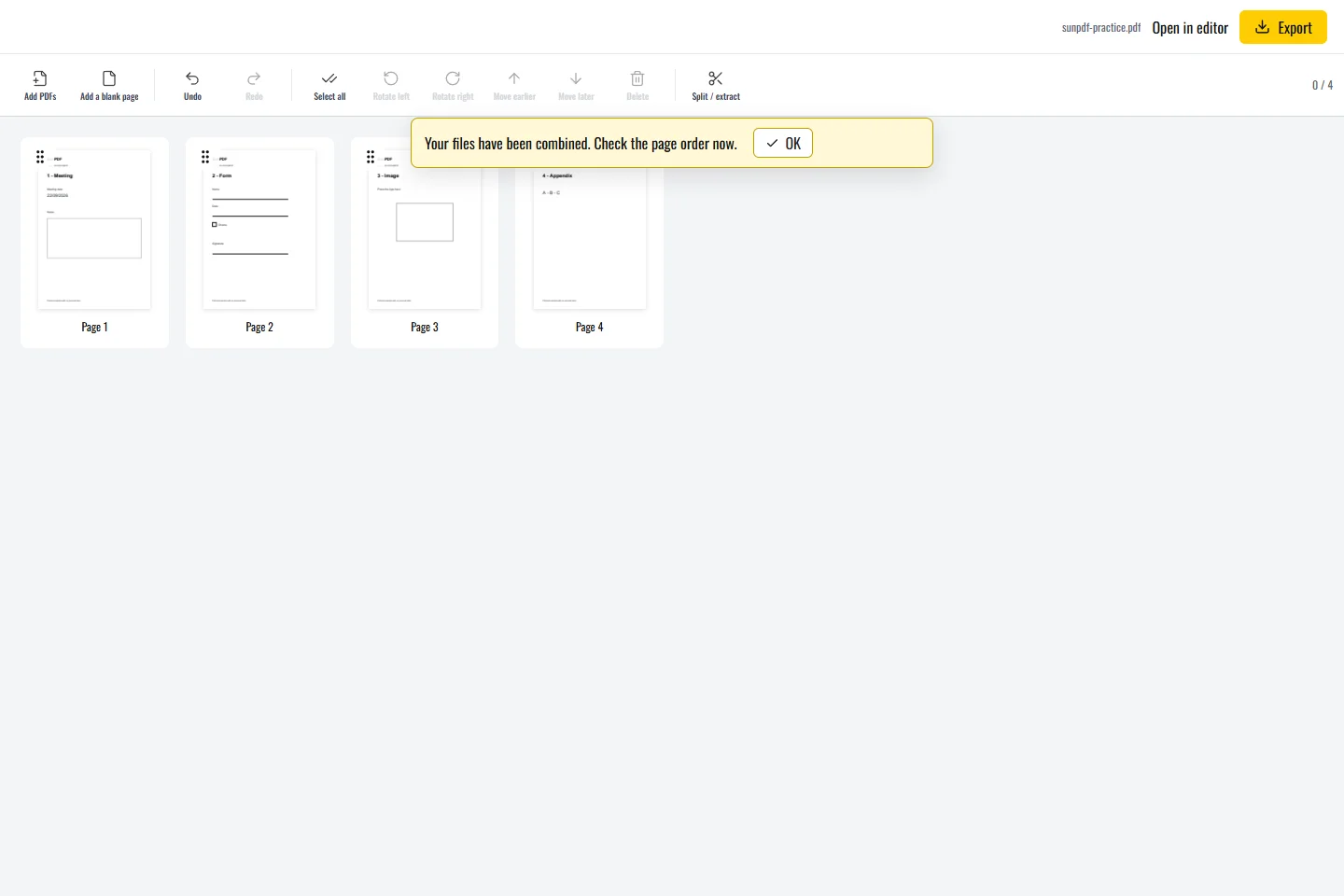
Review the joins between documents
- Different page sizes and orientations can coexist. Check portrait and landscape pages without assuming they were resized.
- Keep the source files until the combined PDF has been checked.
Limits to understand
Combining pages does not rewrite page numbers printed inside them or guarantee preservation of every advanced form or document feature. A password or permission can prevent importing a source. Existing digital signatures must be assessed separately. A merged document is not the original signed file.