How to edit a PDF for free
Correct, complete and organize a PDF for free, then download a new copy from your browser.
Read the guide
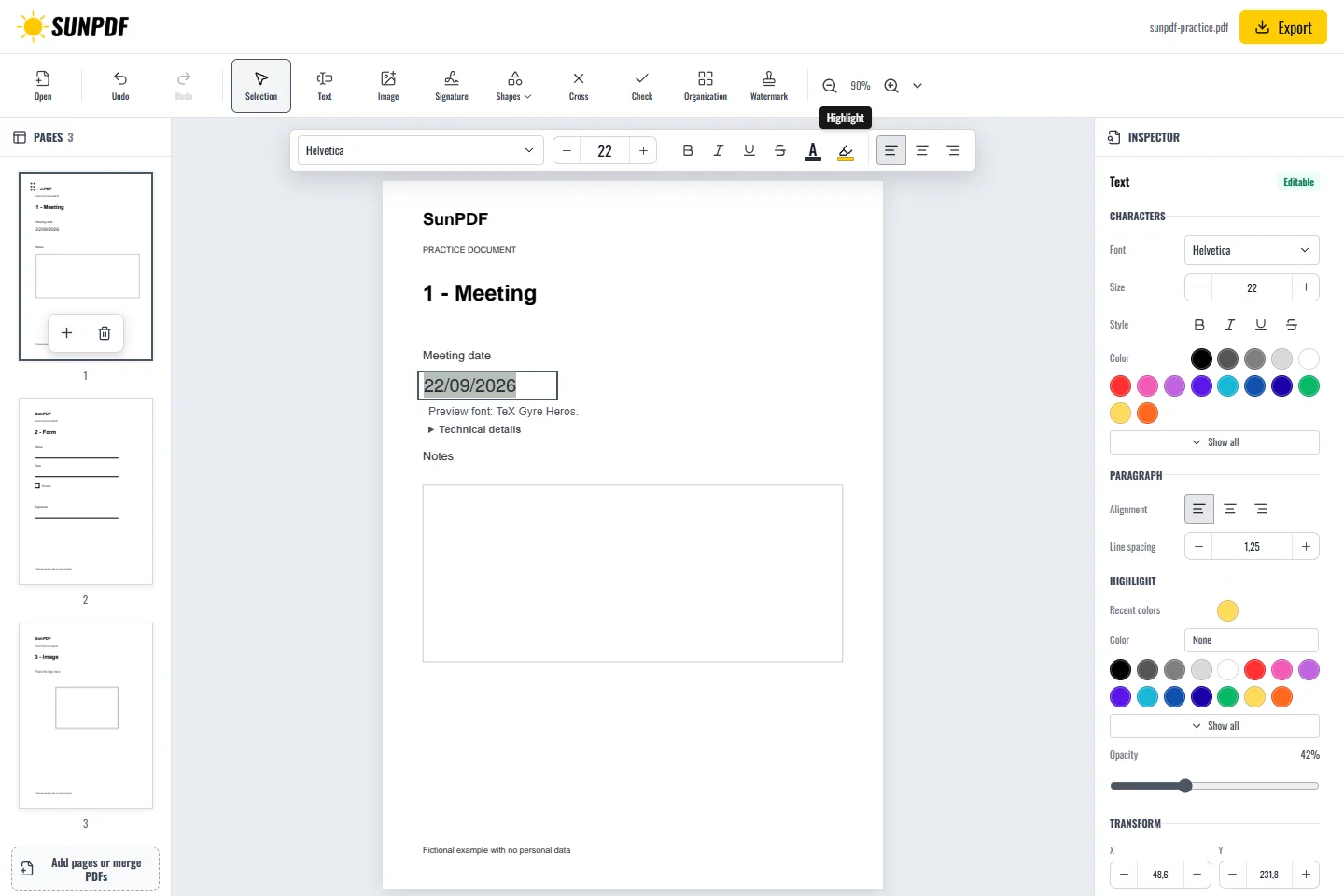
Highlight text in your PDF, then choose the highlight color and opacity.
Use this tool for free as often as you need. The document is processed on your device so its contents remain under your control.
Fictional documents: three practice pages and an appendix, with no personal data.
Page 1: select the date text and enable its highlight style. Check contrast and the exported highlight color.
Choose the highlight color and opacity, then continue working on the document. The result is included in the exported copy.
Document processing happens in your browser. SunPDF does not upload your PDF to a server for editing. Closing or refreshing the tab ends the current session.
Highlighting helps with review or reference when the words in the PDF can be selected as text.
Make sure the colour remains readable on screen and in print, and that only the intended lines are highlighted.
Follow the steps and checks to make before saving your document.
Correct, complete and organize a PDF for free, then download a new copy from your browser.
Read the guideChange a word, date or short sentence in a PDF and check the result before saving it.
Read the guideEdit a sensitive PDF on your device and protect the copies you keep before and after the change.
Read the guide