How to edit a PDF for free
Correct, complete and organize a PDF for free, then download a new copy from your browser.
Read the guide
Edit your PDF in one place: correct text, add content, and organize pages in the order you want.
Use this tool for free as often as you need. The document is processed on your device so its contents remain under your control.
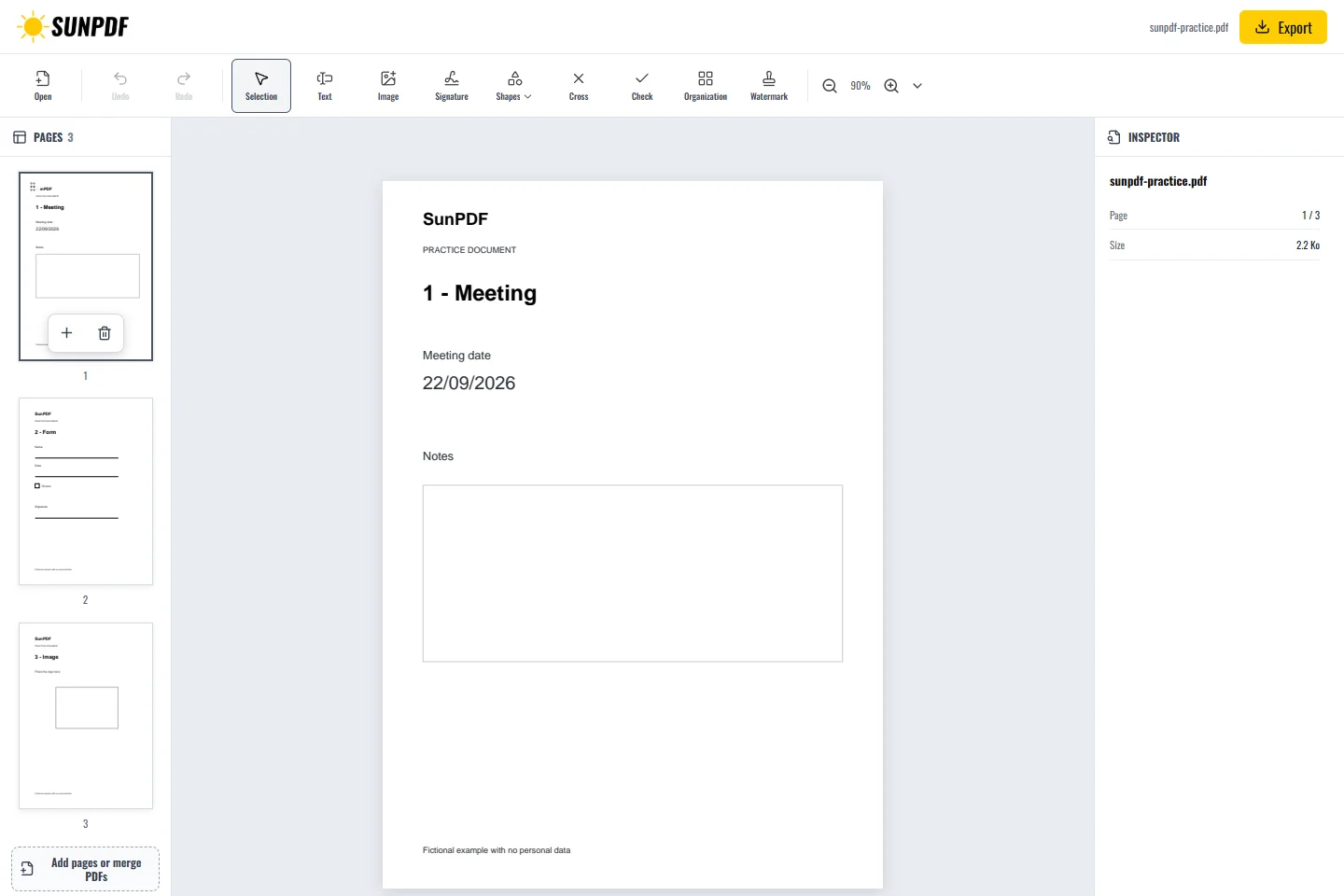
Fictional documents: three practice pages and an appendix, with no personal data.
Page 1: correct the date, then add a note in the empty frame. The other two pages should remain unchanged after export.
Your document stays in your browser’s memory during the session. Make the changes you need, check each page, then download a new copy without replacing the original.
Document processing happens in your browser. SunPDF does not upload your PDF to a server for editing. Closing or refreshing the tab ends the current session.
Use this workspace when one document needs several changes, such as correcting text, adding a visual element, or putting pages back into order.
Reopen the copy, compare changed pages with the original, and confirm that the page count, order, and untouched areas have not changed.
Follow the steps and checks to make before saving your document.
Correct, complete and organize a PDF for free, then download a new copy from your browser.
Read the guideEdit a sensitive PDF on your device and protect the copies you keep before and after the change.
Read the guideChange a word, date or short sentence in a PDF and check the result before saving it.
Read the guide